Short or long hair: how to compare styles in a photo
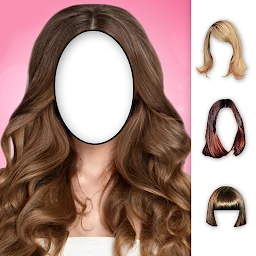
Compare short and long hairstyles on the same portrait in Hairstyles. Keep the conditions consistent and assess the silhouette, volume and overall look.
Use one source portrait
To make a short-versus-long hairstyle comparison useful, start with the same portrait for both versions. Choose a sharp, front-facing picture or one with only a slight turn, with the hairline, neck and shoulders visible. Leave room above and beside the head because a long style may need more space. Keep the lighting, expression and crop unchanged. If you use different photos, the angle or light may influence your reaction more than the hair length. Keep the original separately and work with copies.
Choose two clearly different silhouettes
For a first comparison, select options whose difference is easy to see: a short cut that leaves the neck open and long hair that extends below the shoulders. Hairstyles adds hairstyles to a photo as stickers, with short cuts, long styles and curls among the choices. At this stage, compare the overall shape rather than searching for an exact copy of a future haircut. Changing length, color, curl pattern and accessories all at once makes it harder to understand which detail influenced the look.
Align each hairline with equal care
Add the short hairstyle, then resize and rotate the sticker until its hairline works with the portrait. Check the forehead, temples and ears. Save that version, return to the same source photo and repeat the process with a long hairstyle. Do not copy the short sticker’s size literally because the stickers have different shapes. Use the same facial reference points instead. If a sticker covers the eyebrows or sits noticeably off-center, poor placement can distort your impression of the length.
Compare the outline around the face and shoulders
Open the two saved versions side by side in your gallery, or switch between them. Look at the broad silhouette first. A short option leaves more of the neck and shoulders visible, while a long option adds an outline beside the face and farther down. Next, notice where each sticker places the visual volume: near the crown, cheeks or shoulders. These are observations about the selected stickers and portrait, not universal rules for choosing hair. Describe neutrally what changes before deciding which version you prefer.
Leave accessories and text for a second round
The app can add accessories and text to the image, but keep those elements identical or leave them out of the first comparison. A bright detail can pull attention away from the hairstyle and make one version feel more interesting simply because of its decoration. Save a clean short-and-long pair first. If you want another round, add the same accessory to both versions, or explore details after choosing a preferred silhouette. This keeps the comparison consistent without removing the creative part of making a look.
Run a quick check on both versions
View both pictures at a smaller size and ask: is the face still recognizable? Does the hairline look tidy? Is the sticker clear of the edge of the frame? Does your original hair create a distracting second outline? Then enlarge the images and inspect the temples, ears and shoulders. If one version is positioned much less carefully, adjust it before comparing again. You can save another short or long option, but change one characteristic at a time, such as the outline shape, while keeping the source portrait consistent.
Treat the montage as a visual note
The saved versions can record an idea and help you discuss it, but they cannot show exactly how a real haircut will behave on your hair. Texture, density, styling and the work of a stylist all affect the result. Choose one or two images that communicate the length and general silhouette you want, and keep the source portrait alongside them. If you are considering a haircut, use the montage to begin a conversation with a professional rather than as a promise of the outcome. The aim is to make your preference between a short and long look clearer.
Featured in this story
Woman Hairstyles
Hairstyles · 5M+
Explore