How to try glasses on a photo: five details to check
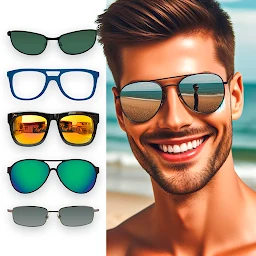
Want to explore eyeglasses or sunglasses before choosing a style? Use a clear portrait and review scale, alignment and lighting in Glasses Photo Editor, without mistaking a photo sticker for a precise fitting.
Start with a clear, relaxed portrait
Choose a front-facing photo or one with only a slight head turn. Both eyes, the bridge of the nose and the sides of the face should be visible. Even daylight is easier to work with than strong shadows, and hair should not completely hide your temples. A very close wide-angle selfie can distort the shape of the nose and cheeks, so keep the camera a comfortable distance away. You do not need a professional photo shoot. A sharp, natural portrait is enough to compare ideas fairly, especially if you use that same original image for every variation.
Check the frame width before the trend
Glasses Photo Editor is an app for adding glasses or sunglasses to a photo. Start with a silhouette that appeals to you, then examine how wide it looks against the face. If the lenses cover much of the cheeks or the frame extends far beyond the head, the result may feel more like a playful collage than a subtle try-on. That might be exactly what you want for a funny picture. But if you are exploring everyday styles, compare designs with more restrained proportions. Focus on the frame's overall impression, not on whether a fashionable label says it suits a particular face shape.
Use the eyes and nose as reference points
Look at where the eyes sit inside the depicted frame and whether the bridge is centered. If one lens appears much higher than the other, the sticker's angle may not match the camera view. A flat image of a frame cannot perfectly reproduce perspective on a head that is strongly turned. Do not reject a style solely because that particular montage looks awkward. Also check the eyebrows: a thick frame may hide them, while a thin one can keep them visible. These are useful visual observations, but they cannot tell you how the real glasses will fit.
Compare colors in consistent lighting
A dark sunglass frame, a transparent frame and bright tinted lenses can change the mood of the same portrait. Use a relatively neutral background when you want to compare shapes rather than a dramatic composition. Strong side light or heavy photo filters may make the added accessory look detached from the face. That is a limitation of photo editing, not necessarily a problem with the glasses design. A sticker cannot accurately reproduce the reflections, thickness or material finish of a real product. For a more balanced comparison, use a photo with natural color and avoid changing the base image between versions.
Make a small side-by-side collection
Rather than covering one photo with many accessories, prepare two or three separate versions: perhaps a compact frame, a bolder shape and sunglasses. Keep the original portrait available so you can judge what each version changes. Look at them at approximately the same display size. If you ask friends for an opinion, consider asking which style communicates the look you want, rather than which one they think will physically fit. This creates a useful shortlist of visual ideas without confusing photo decoration with a measurement tool.
Know what a photo editor cannot measure
A glasses sticker is a creative preview, not a prescription or fit assessment. It cannot tell you the bridge width, temple length, weight, lens specifications or comfort of a particular pair. If you are buying real glasses, check the manufacturer's measurements and try the model in person when possible. Treat the edited portraits as inspiration for shapes and colors, then evaluate fit separately. That way the app helps you explore personal style without claiming to offer a precise virtual fitting.
Featured in this story
Glasses Photo Editor
Beauty & style · 1M+
Google Play ↗