Long-Exposure Effect: Prepare the Scene and Check Motion
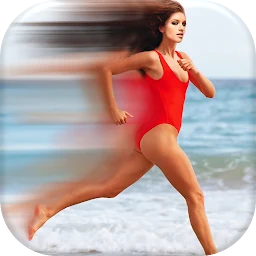
A practical order for Long Exposure Photo Editor App: choose a moving subject, keep the background stable, set duration and compare motion trails.
Choose one clear movement
Start with a subject that follows a predictable path, such as a walking person, a vehicle or a moving light. A calm background makes the intended effect easier to judge.
Keep the phone still
Place the device on a stable surface. If the entire frame shifts with the subject, it becomes difficult to separate an intentional motion trail from accidental blur.
Change duration first
The current Google Play listing describes adjustable duration, photo blending, filters and slow-shutter effects. Make several versions while changing one setting at a time.
Check contrast and edges
Confirm that the moving subject remains distinct from the background and that important details have not disappeared. An excessively long trail can make the scene harder to read.
Save a control version
Keep the ordinary photo beside one or two effect versions. The listing describes saving and sharing, so comparing before export helps you choose the clearest result.
Featured in this story
Long Exposure Photo Editor App
Photo effects · 100K+
Google Play ↗