How to try a curly hairstyle in a photo
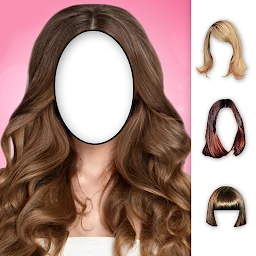
Try a curly hairstyle on one portrait in Hairstyles: choose a clear source photo, align the style carefully with your face and save several versions for a fair comparison.
Prepare a portrait for the curly hairstyle
Choose a well-lit front-facing photo or one with only a slight turn of the head. The face, forehead line, temples and at least part of the ears should be visible because these landmarks help you position the new style. A simple background and some open space above and beside the head are useful. If your own hair covers much of the face, find another portrait with it pulled back. Use your own picture or a photo you have permission to edit.
Start with one set of curls
Add a curly hairstyle to the portrait in Hairstyles. The app creates a sticker-based photo montage, so begin with one hairstyle and leave accessories and text for later. This makes the overall shape easier to judge: notice where most of the volume sits, how far the hair extends beyond the head and how the curls frame the face. At this stage, assess the complete silhouette instead of concentrating on individual curls.
Align the hairline and temples
Resize the sticker in small steps. The top of the hairstyle should sit naturally in relation to the forehead, while the sides should account for the temples and ears. If the curls look too wide, do not immediately switch to another style: make the sticker slightly smaller and align it again. Use rotation if the head is gently tilted in the source photo. After every adjustment, look at the whole face so one edge is not fixed at the expense of the others.
Compare volume around the face and shoulders
Curls change more than length; they also change the apparent width of a hairstyle. Look for the widest area and note whether it falls near the cheekbones, chin or shoulders. Save one version with a more compact silhouette, then prepare another with more visible volume on the same original portrait. Do not change the source photo, head angle and decorative elements at the same time. Consistent conditions help you compare the shape of the curls rather than two completely different pictures.
Check the edges at large and small sizes
Zoom in and inspect the forehead, temples and cheeks. The sticker should not accidentally cover important facial features or sit noticeably away from the head. Then view the picture as a small preview. A thumbnail makes it easier to tell whether the silhouette feels coherent and the face remains the main subject. If the result looks heavy, try a more compact style or reduce the sticker size instead of adding more details.
Add details after choosing the shape
Once the position and volume of the curls feel right, you can finish the picture with an accessory or a short piece of text. These tools can decorate the final image, but they may distract you during the first comparison. Save a clean version with only the hairstyle and then make a decorated version. Looking at both reveals whether the hair shape or the extra styling changes your impression. Before sharing, check that the photo does not reveal personal information you intended to keep private.
Treat the montage as an idea, not a prediction
Save two or three carefully aligned versions and compare them side by side. The montage can help you describe the length, volume and placement of curls you like around your face. It cannot show exactly how a real hairstyle will turn out: hair texture and density, styling, lighting and the stylist’s work all affect the result. If you are planning a change, show the pictures to a hairstylist as visual references and discuss which elements could be adapted to your own hair.
Featured in this story
Woman Hairstyles
Hairstyles · 5M+
Explore