T-Shirt Photo Frame: Build a Balanced Composition
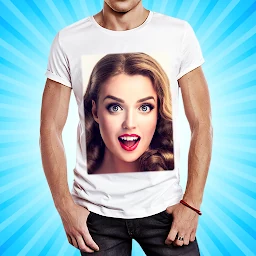
A practical T-Shirt Frames Photo Editor workflow: choose a photo with a clear focal point, pick a frame, align the image with the print area, then add text or effects.
Start with a simple photo
A T-shirt frame works best with one clear subject and some space around it. This keeps a face, pet or object from disappearing inside the print area.
Choose the frame before effects
The current Google Play listing describes more than 100 T-shirt designs. Compare a few silhouettes and colors before changing the source photo.
Align center and scale
The listing includes scale and rotation controls. Fit the image so the main subject stays inside the print area without crossing the frame edges.
Add text last
The app listing includes text, stickers, filters and effects. Use one short accent after alignment so it does not cover the main subject.
Review the whole result
Zoom out before saving and compare the source photo with the finished version. Check text readability and the print boundary.
Games and apps in this article
T-Shirt Frames Photo Editor
Frames & cards · 100K+
Google Play ↗